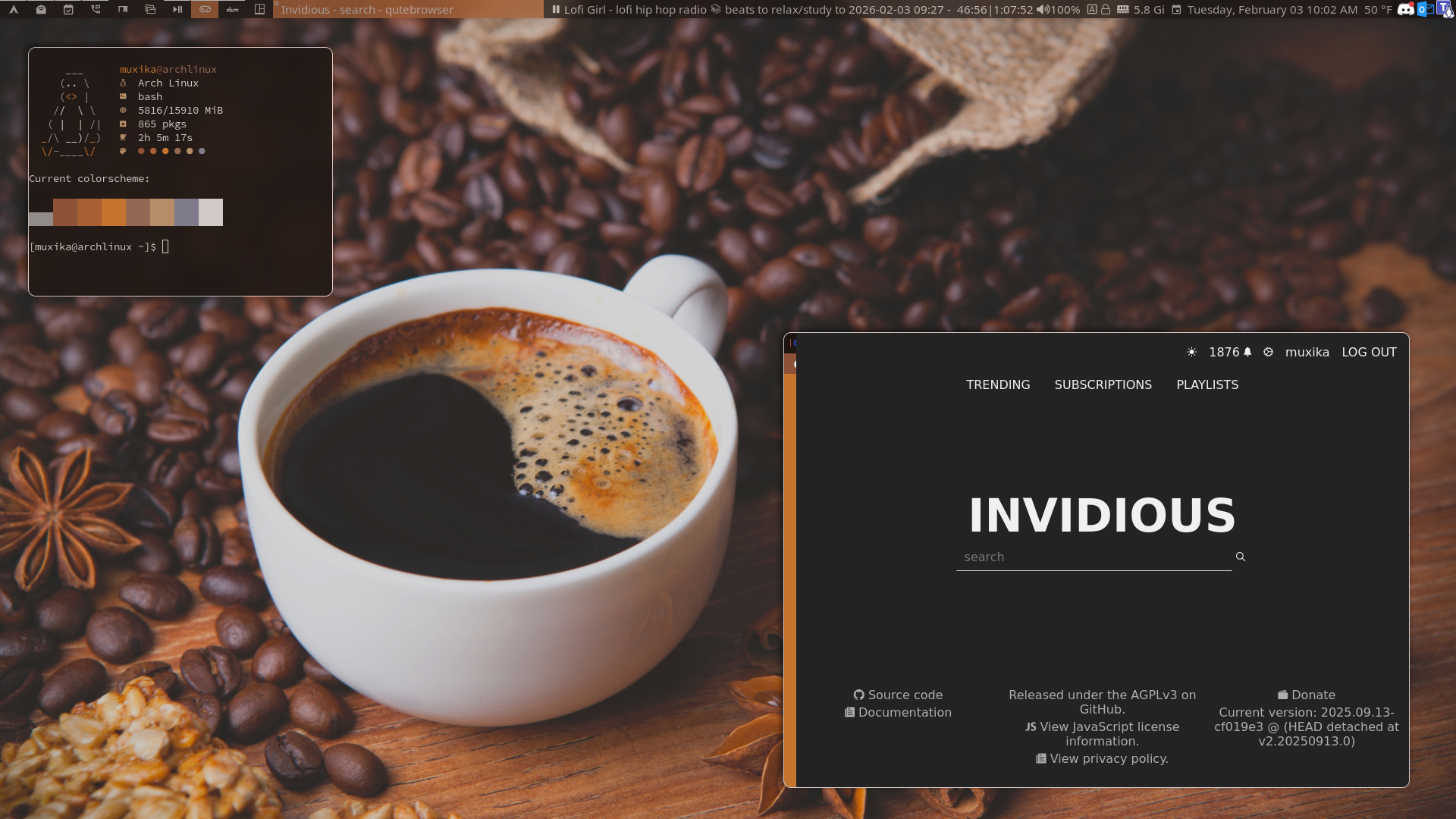
This is just a basic build of dwm with several patches and scripts to run it with minor cosmetics (conditional icons, vanity, etc.).
- compositor: picom
- terminal: st
- browser: qutebrowser (pywalQute integration)
- fetch: turbofetch
- terminal font: Sauce Code Pro Nerd Font Mono
- wm font: Noto Sans Nerd Font
- icons: Nerd Fonts
- wallpaper: from gruvbox wallpapers collection
- statusbar: slstatus
- statusbar scripts: playerctl, volume, caps/numlock (not featured: battery, brightness)
- music player: ytfzf
- dwm patches: tabs in monocle, urgent border, alpha, autostart, bar padding, cursor warp, full gaps, full tag indicator, move stack, netclientliststacking, per tag layouts, restartsig, restore after restart, scratchpad, status2d bar padding systray, window map
- st patches: alpha, anysize, appsync, autosync, bold is not bright, clickurl, clipboard, ligatures, scrollback
Nice screenshot, btw, what’s this part in the right window, is it the window’s scroller or anything else? I like it so much. see my attachment.

Thanks! That’s the tab bar. The icons are minimized because of the window’s size, but you can see the icons when the window is maximized. It also allows mouse scrolling.
What does qutebrowser do? Is it chome/firefox or something other than those two based?
Also fantastic desktop. Looks great.
Its based on webkit, IIRC
Technically chromium is webkit so not wrong
Chromium was forked from WebKit but it isn’t the same thing. Chromium is Blink.
It would be like saying all browser are KHTML based lol.
Gecko is not KHTML but yes… chromium is blink, but it’s still very similar to webkit, there is a reason for the way useragents and CSS selectors are the way they are.
deleted by creator
here’s an explanation from Bread on Penguins
Awesome channel
I believe it’s a cef (chromium) based Qt browser
deleted by creator
Thank you! It’s a Qt, chromium-based browser with keyboard-centric navigation. It’s modal, like Vim, and with Vim-like key bindings, so you can keep your fingers on the keyboard and not have to switch to the mouse and back.
that looks great! Everything works together nicely
Peak desktop🔥
Thanks. It took me a while, but the status bar icons and text are also conditional (using bash scripts with if/then statements and case statements). I also created separate picom animations for notifications and windows.